📄 trmnl x
After the Google Home became a constant distraction for the kids, I started looking for a simpler alternative for family tasks, schedules, and routines. I came across the TRMNL and it looked like a really good fit. And as a bonus, it is completely extendable with plugins, so I could customize it for my family's exact use case.
🔌 plugin development
I eargly set off to build something for my family. It needed to be easily configurable for my wife, and it needed to be simple for the kids to read off the TRMNL. The device setup was easy enough, albeit a bit finicky when first connecting to the WiFi.
After researching TRMNL plugin architecture, I got to work on building a custom plugin for displaying the kids task lists at different times of the day. For instance, in the morning they need to get ready for school, in the afternoon they unpack from school and do their homework, and in the evening they have a night routine. The architecture looked something like this.
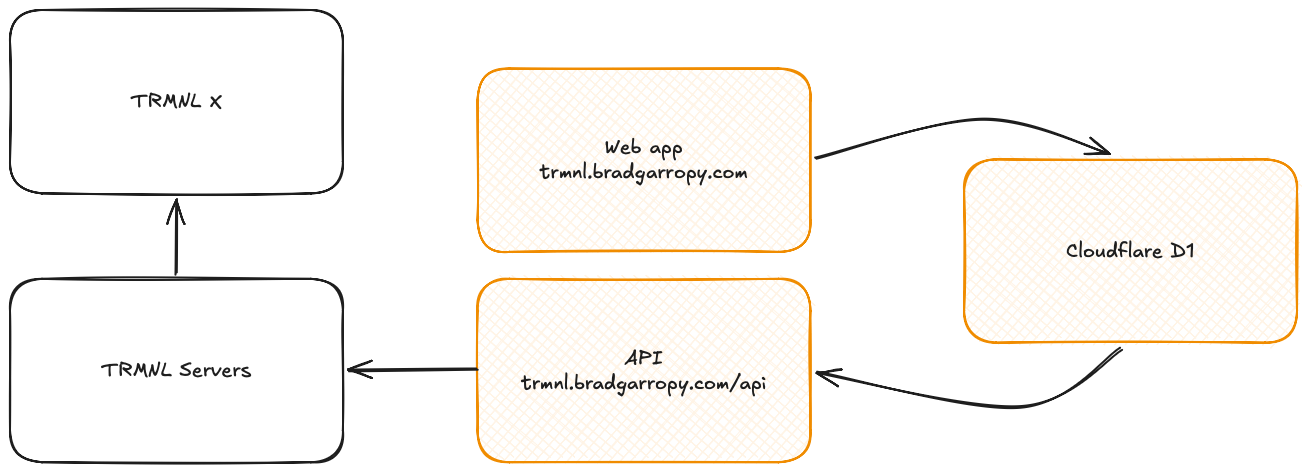
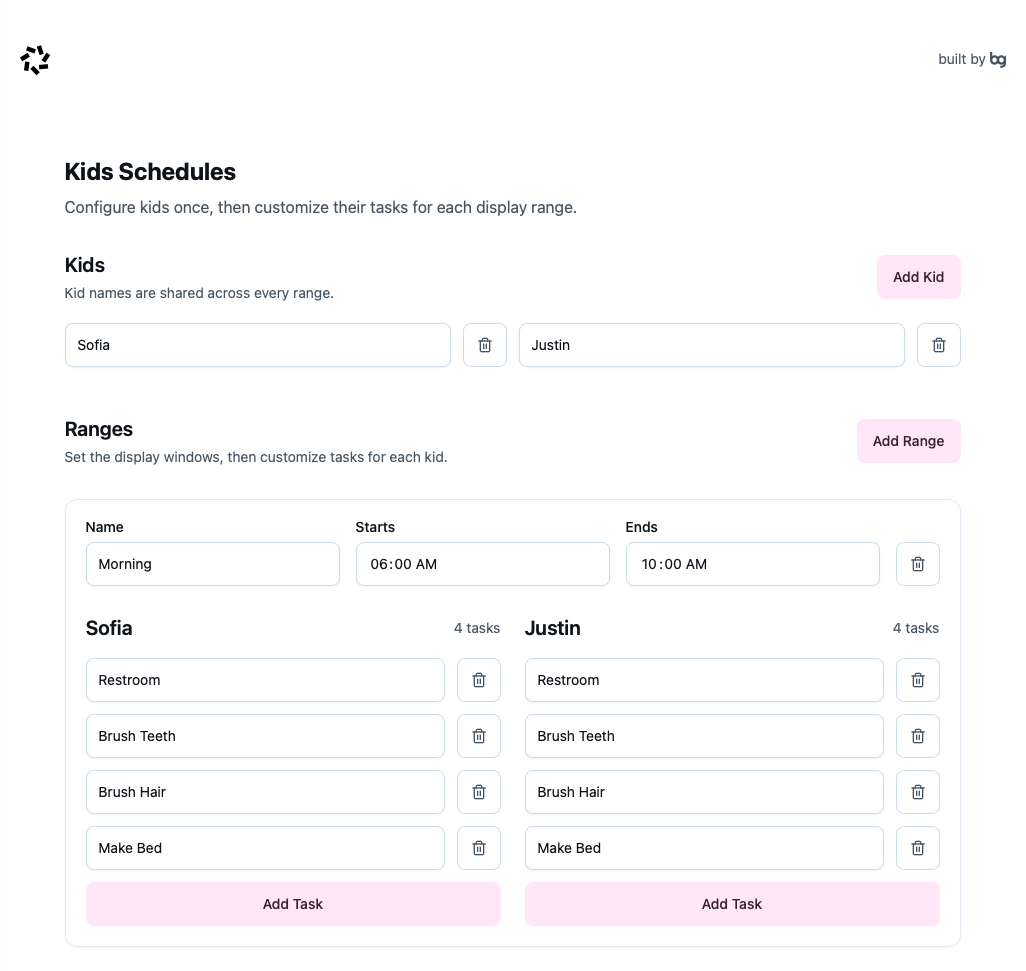
I built a mobile friendly web application that lives at trmnl.bradgarropy.com that my wife could use to define time ranges and tasks for each child. That data would get pushed to a Cloudflare D1 database, which powered an API located at trmnl.bradgarropy.com/api.
From there, the TRMNL X would poll my API at 15 minute intervals, and my application would respond with the correct set of tasks based on the time range for the kids. The firmware would refresh the screen with the newly rendered page. It looked something like this.
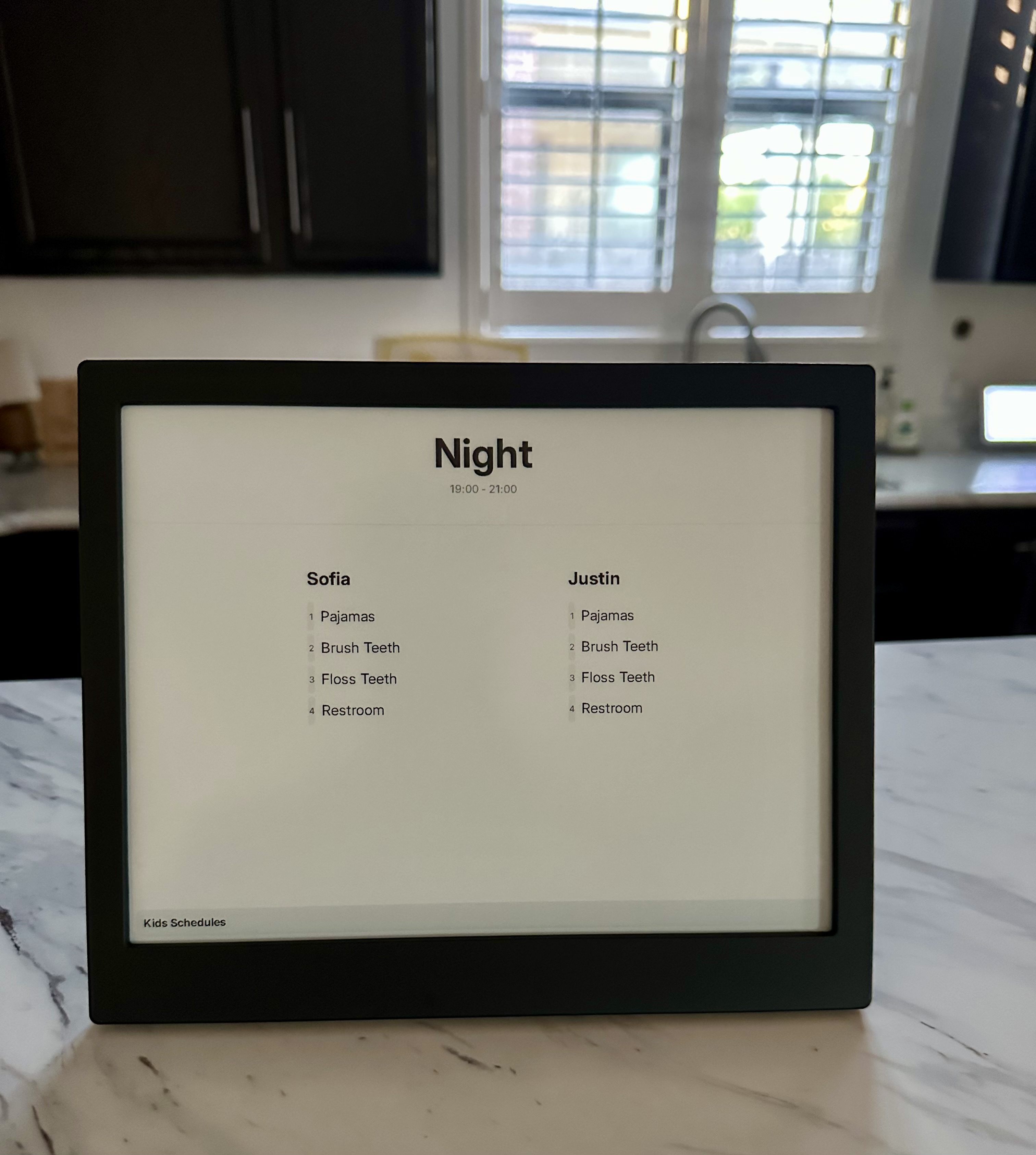
Building the frontend was a breeze. The API data is fed directly into a Liquid template that you upload to TRMNL, and you can style the frontend with TRMNL's UI framework. This ensured that the CSS I was writing looked good on the e-ink display, it was especially helpful for colors.
🐛 reliability bugs
While the development was easy, getting the display to show the right thing at the right time was challenging. My API was returning the correct data, but between the TRMNL servers and the TRMNL firmware, refreshes never quite worked as intended. After speaking with some of the TRMNL employees on Discord, it turns out I uncovered two bugs, one in the TRMNL server and another in the TRMNL firmware.
After both fixes were deployed, the TRMNL started working more reliably. And I even figured out that I was using the touch bar incorrectly. Apparently, advancing screens via the touch bar pulls from the local device cache, and doesn't reach back out to the servers for the latest information.
🙈 reevaluating
I thoroughly enjoyed the process of building out a custom plugin for this device. Once the software was stable and we placed it in its official spot in the kitchen, I noticed that nobody paid attention to it. You see, the device is supposed to bring clarity and limit distraction. But in doing so, it became so plain that it blended into the background, and was ignored. Ultimately, it wasn't having the effect I had dreamed of.
Between the bugs and the lack of use, and even the price tag of $250, I decided to return the TRMNL, as it just wasn't fitting our use case. Instead, I'm holding out for the Apple smart home display, hopefully for the same price point.