🎧 youtube to yoto
After getting Yoto players for the kids this Christmas, I realized that buying cards from Yoto would become way too expensive. I also realized that there is plenty of free music on YouTube. So I set off to rebuild the Yoto app with a tighter YouTube integration.
Check it out for yourself at yoto.bradgarropy.com!
🎶 what it does
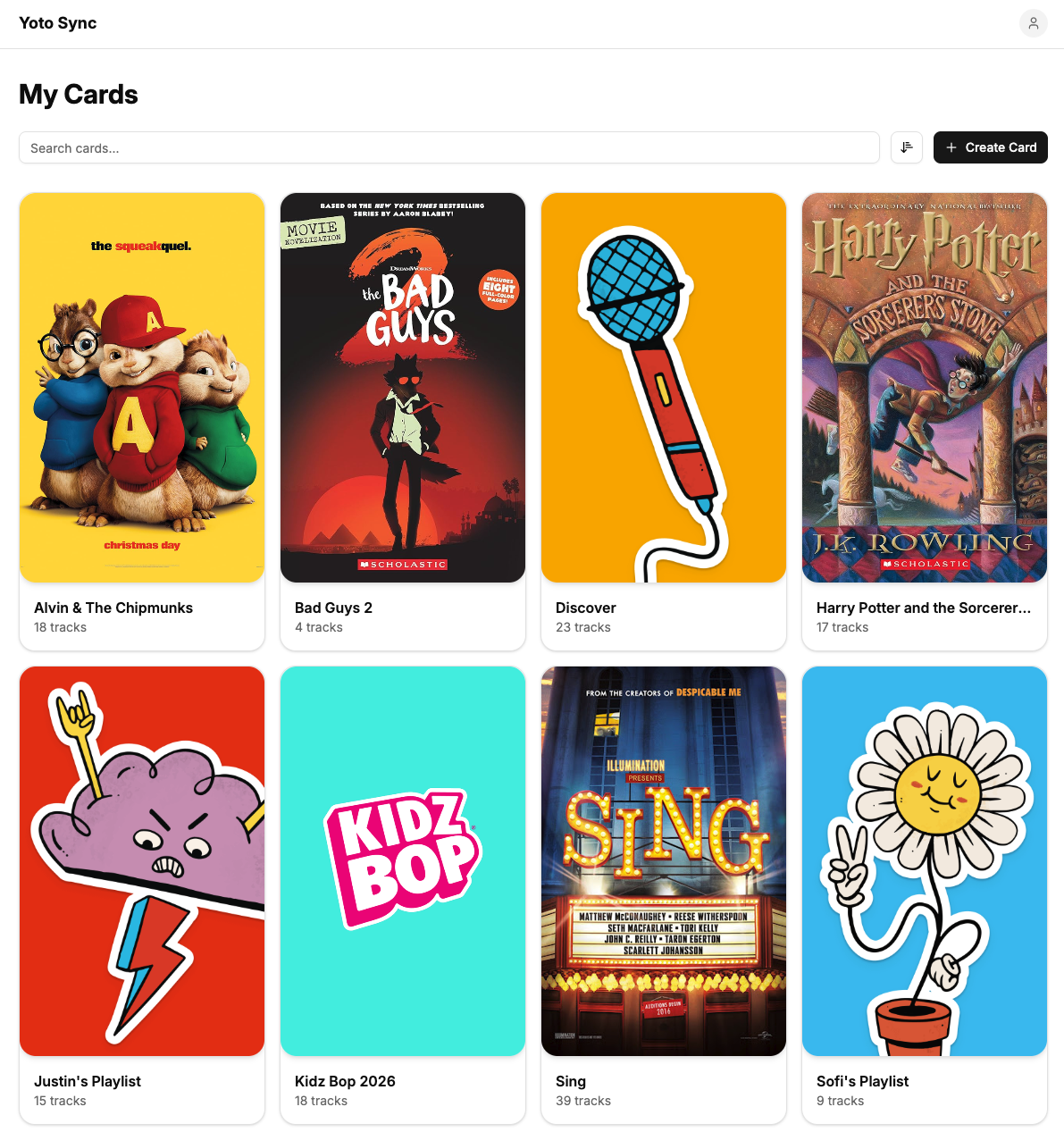
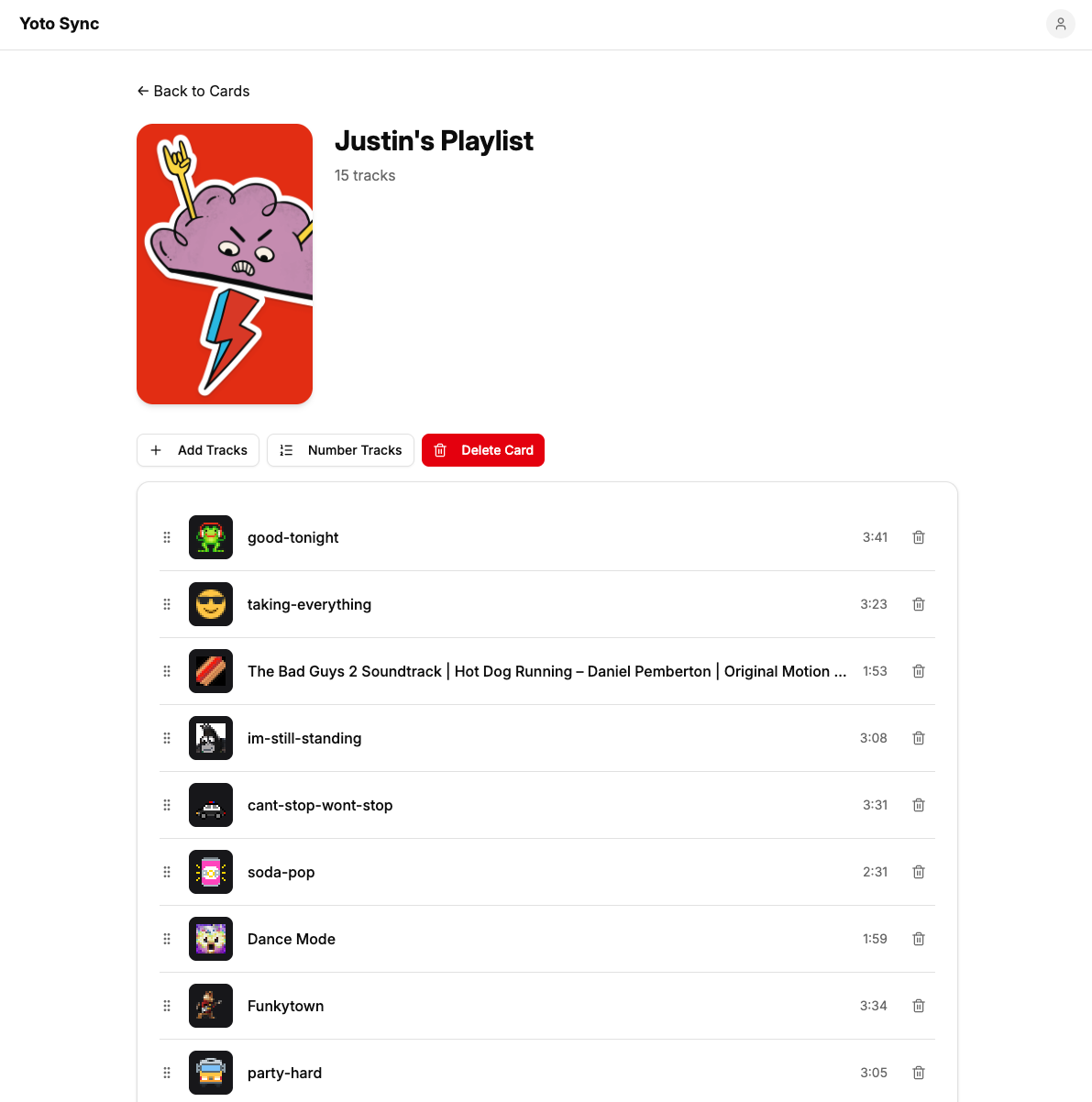
The application is a complete rebuild of the existing My Yotoplay site. It offers all the same features like card creation, track uploads, and icon selection. But the main draw is that it can upload videos and playlists directly from YouTube!
It also includes the entire selection of icons from Yoto Icons built in. And one of my personal favorite features, it can automatically assign numerical icons corresponding to each track.
I've been using it for the past few weeks to manage my kids' Yoto playlists and it's been working like a charm. You log in with your own Yoto account, and you'll see all of your existing cards and tracks. Then you can manage them in a much cleaner, streamlined experience. No MYO Studio required!
🧱 tech stack
I chose a tech stack that I am comfortable with so I could use AI and stay fairly hands off with the code. The application is built with the following tech.
- React
- TypeScript
- React Router
- Shadcn
- Tailwind
- Lucide
- Yoto SDK
- Cloudflare Workers
- Cloudflare Sandboxes
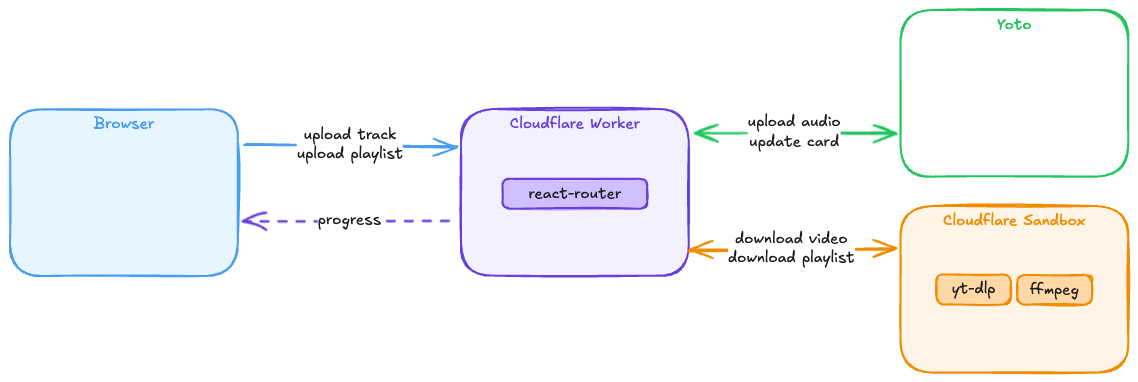
I deployed the application to Cloudflare Workers, and I'm using a Cloudflare Sandbox for the stuff that requires a real server, like running yt-dlp to download audio from YouTube videos. The Yoto SDK made it trivial to set up authentication, which I store in a cookie, and interact with their API.
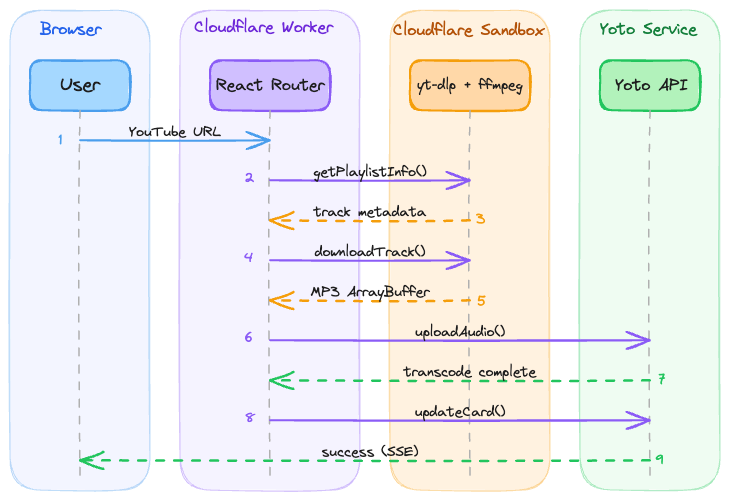
A typical track import looks something like the diagram below. I'm using Server Sent Events to show progress as tracks are downloading, uploading, and transcoding. I run them all in parallel on the same sandbox, but if I wanted to I could spin up independent sandboxes for each track to really improve efficiency.
The sketchiest part of the app was integrating Yoto Icons into the icon search. They don't offer an API, so I resorted to scraping the HTML of their search results to return icons. This can definitely be optimized in the future by scraping their entire icon set every day, or by begging the developer to create a public API.
🤖 built with ai
I decided to build this project completely with AI. I used OpenCode with the Claude Opus 4.5 model and stayed out of the editor except to look at the changes the agent was making.
I started with Plan mode and had a very long conversation back and forth with the agent to clarify my requirements and determine an approach. Then I had it write out all of the details to a plan.md file that I committed at the root of the repository. Finally I switched over to Build mode and iterated on the plan.
For each task I would start a new session. Every time I started a session I would instruct the agent to read the plan.md file and then work on the next task. I kept the plan updated throughout the project and treated it as a living document. I feel like this gave each session a solid set of context to start from.
Opus really knocked this out of the park. The only area of the project where it really struggled was how to show progress when uploading tracks. This section took a good amount of prompting from me to make it feel just right.
📢 your feedback
Now all that's left is to enjoy what I built! Head over to yoto.bradgarropy.com and give it a try. Let me know if you find any issues, or if you have any feature requests. I hope you like it!